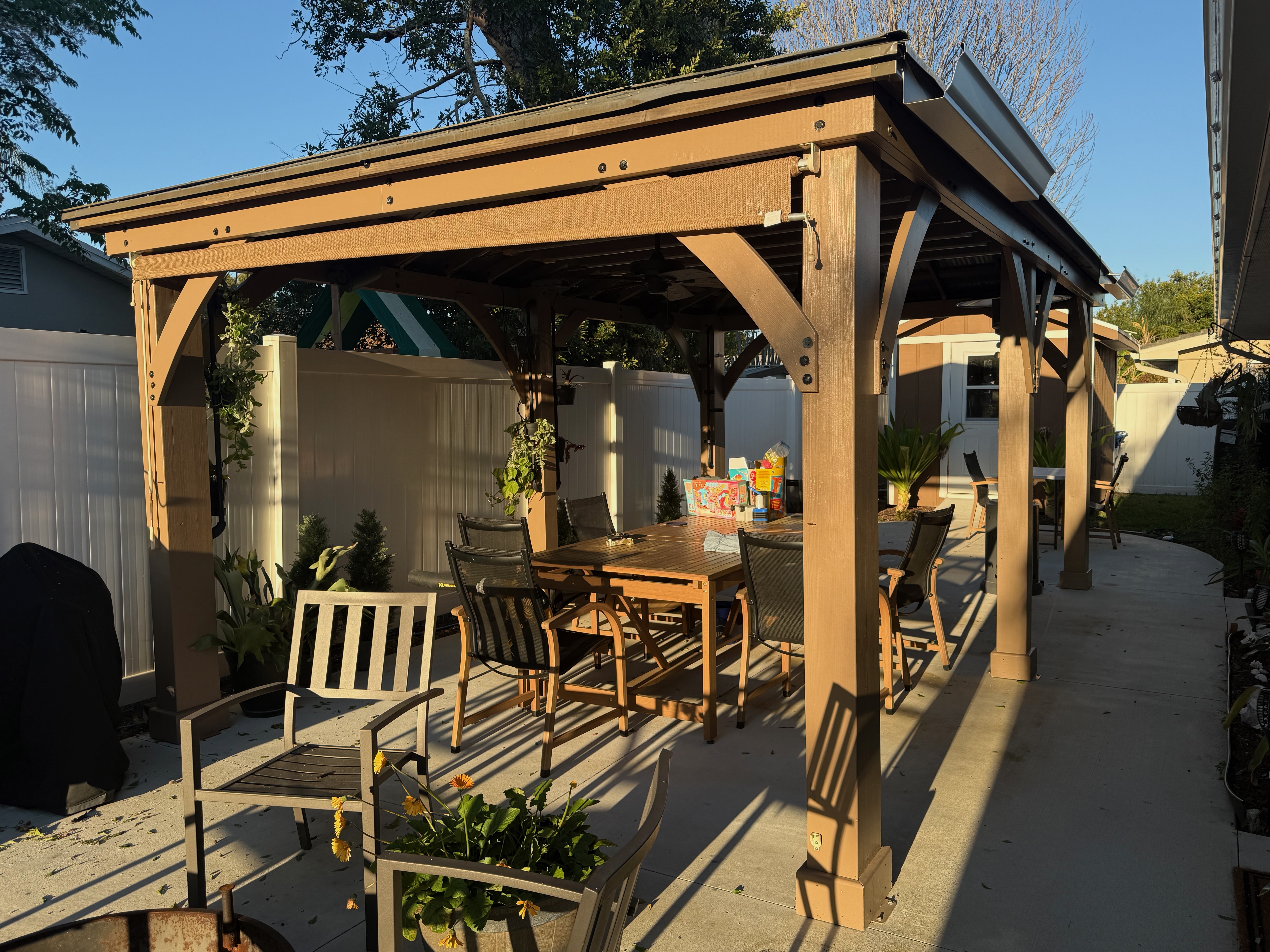
The Gazebo in the Back Yard was built from a Yardistry kit. There is a placard near the top of the northwestern post that contains the serial number, which you might need if you ever need service from Yardistry.
This page describes Power Receptacles, Lighting, Sound, and Ceiling Fans.
Power Receptacles
There are six receptacle boxes installed on the back side of the three rear posts, two on each. post; one low, one high. All three high receptacle boxes contain a Shelly remote switch. The switch for the outer post receptacles controls the upper receptacle in each box. The center post has a two-gang box, and the switch in that controls the two left-most receptacles. The non-switched receptacles are always on, assuming, of course, that neither the circuit breaker for the circuit nor the GFCI in the top-most receptacle box mounted on the rear wall near the drip irrigation devices has tripped off.
The GFCI trips periodically. So far, it has not happened often enough to warrant troubleshooting the cause. If it does, resetting it is easy: press the right button between the receptacle sockets.
The switches can be controlled either via Home Assistant or the Shelly app.
Lighting
The gazebo’s lighting consists of seven LED light strips mounted on the ceiling joists.
Each light strip has a control box at its north end. The control box is held in place magnetically. No tools are necessary to install or remove the box. The light strip is connected to the box with a screw-in connector. On the other end, there is a 12V DC power connector. 12 volts is required to drive the light strips, and the microcontroller inside the box is supplied via a power jack at the back of the box.
The other ends of the power wires converge at a bus-bar connector, which is also connected to the silver power supply mounted near the top of the center post, near the bus-bar, and to the nearby two-gang receptacle box. The power supply is plugged into a switched outlet in that box.
Should the need arise, the entire gazebo lighting system’s power can be controlled through Home Assistant. On the Our Home dashboard, under the Yard tab, you will see controls for the left, center, and right post power outlets. Toggle the center post switch to control all the power to the lighting system.
Sound
There is a Fosi Audio BT20A Pro amplifier. It drives a left- and right-mounted speaker on the inside face of the rear roof support beam. To use the amplifier, make sure it is powered on, and then connect to Bluetooth, which is the only way it can receive music.
Turn it on
Put the switch on the amplifier’s face in the up position. Look into the very small hole between the switch and the lower-left corner of the amplifier’s face. If you see light of any color, you are good to go; proceed to ‘Connect via Bluetooth’ below.
If not, next, be sure the green LED on the amplifier power supply is on. The power supply is a black box tucked under the ceiling just to the left of the amplifier. There is a green LED on it. If the LED is off, be sure the black box is plugged into a nearby outlet and that the outlet is not switched off. If that light is off, the power supply either isn’t getting AC power or is broken.
If the green light is on, the switch is in the up position, and you still see no light on the amplifier, make sure the transformer is securely plugged into the amplifier’s back. Try unplugging it — just pull it out1 — then plug it back in. Still no light, start over and keep doing it until it’s fixed or you give up. If you give up, it’s likely that there is a problem outside the scope of these instructions. Good luck
Otherwise, continue.
Connect via Bluetooth
Assuming you are trying to connect from your phone, open Bluetooth settings and make sure Bluetooth is enabled. If you have connected to the amplifier before, you might see an entry labelled “Fosi Audio BT20A PRO” under “My Devices”. If you see that entry but it does not show as “connected,” select the entry, then select “Connect.” If it does not connect, select the entry again, then select “Forget This Device”. You will add it again in the next steps.
If you do not see the Fosi Audio device in the list of Bluetooth devices (under “My Devices” on an iPhone), look for it at the bottom under “Other Devices”. If it does not appear there either, try turning Bluetooth off, waiting 10 seconds or so, then turning it back on. If it still does not appear, you will likely need to reset the amplifier’s Bluetooth state. To do that, with the amplifier powered on, press and hold the bronze volume dial for 10 full seconds (or more). After about 20 seconds, look again to see if it appears under “Other Devices”. If so, select it, and it will connect, and you’re good to go.
If it is being extra stubborn, try resetting the amplifier by turning it off, then pressing and holding the bronze dial while you turn it back on. Continue holding for at least 5 seconds, then check your Bluetooth settings again for the device. If the Fosi Audio device still does not appear, power cycle your phone.
If it’s still not good, you’re out of options. Punt.
Ceiling Fans
There are two ceiling fans mounted under the roof. Each one has a Shelly two-switch remote controller. One controls the fan’s power. The other is not currently used but is wired so that if light kits are later added to the fans, the lights can be wired to the currently unconnected light wires in the round housing at the bottom of each fan. It is likely that the wires are labelled.
A picture of the Gazebo
Footnotes
-
There is no need to remove the gray cover from the amplifier to insert or remove the power cord. If you do want to remove the cover, gently pry it straight up from the amplifier. (There are no fasteners holding the cover on. ) The antenna sticking through the top of the cover fits through a rubber grommet; it is a pretty snug fit, but you can coax it out gently. ↩